



Download ManyCam – Free Webcam Effects, Virtual Backgrounds & More
Overview
ManyCam is a playful webcam utility that lets you spice up any video‑call, live stream, or recorded session with a library of iChat‑style special effects, animated overlays, and virtual backgrounds. While the original download link has been retired, the legacy version remains popular among users who enjoy adding wigs, sunglasses, animal masks, and dynamic text to their webcam feed. The software works on both Windows and macOS platforms, and it offers a simple drag‑and‑drop interface that requires no technical expertise.
Whether you’re on a casual chat with friends, a professional Zoom meeting, or a live broadcast on Twitch, ManyCam gives you the ability to switch between a beach, a mountain, or a classic black‑and‑white backdrop in real time. The free version inserts a discreet “manycam.com” watermark at the bottom of the screen, but the effect is subtle enough not to distract from the conversation. Additional effects and background packs can be downloaded from the developer’s site at no extra cost, allowing you to keep the experience fresh and entertaining.
Although the visual fidelity of the filters is more cartoonish than photorealistic, the sheer variety and ease of use make ManyCam a solid choice for anyone looking to add a dash of fun to their video presence.
Key Features
- Over 50 built‑in effects including hats, wigs, glasses, animal faces, and distortion filters.
- Virtual backgrounds ranging from tropical beaches to snowy mountain peaks, plus solid color and sepia options.
- Live text overlay for date, time, or custom messages that can be positioned anywhere on the screen.
- Simple one‑click effect switching during a call or broadcast.
- Free additional effect packs available on the ManyCam website.
- Compatibility with popular video‑chat platforms such as Zoom, Skype, Google Meet, and Microsoft Teams.
- Support for both Windows 10/11 and macOS 10.12 (Sierra) through macOS 12 (Monterey).
- Watermark‑free premium upgrade for professional use.
Installation & Usage Instructions
Even though the official download link is no longer active, the last stable build of ManyCam can still be obtained from reputable software archives. Follow these steps to get the program up and running on your computer:
- Download the installer: Locate a trusted source that hosts the ManyCam 4.5 installer for Windows (.exe) or macOS (.dmg). Verify the file’s checksum if available to ensure it hasn’t been tampered with.
- Run the installer: On Windows, double‑click the .exe file and follow the on‑screen prompts. On macOS, open the .dmg, drag the ManyCam icon into the Applications folder, and then eject the disk image.
- Grant webcam permissions: Both operating systems will ask you to allow ManyCam to access your camera and microphone. Accept the prompts; otherwise the software won’t be able to capture video.
- Configure your video source: Launch ManyCam and select your physical webcam from the “Video Sources” panel. You can also add a screen capture or video file as an additional source.
- Apply effects: Browse the “Effects” tab, click on a filter or background, and watch it appear instantly on the preview window. Use the “Live Text” tool to add custom messages, dates, or timestamps.
- Integrate with your meeting app: Open Zoom, Skype, or your preferred platform and choose “ManyCam Virtual Webcam” as the camera input. The selected effects will now be visible to all participants.
- Save and export: If you want to keep a recording of your session, ManyCam offers a built‑in recorder. Click “Record” and specify a file location; the video will be saved with the applied effects embedded.
For macOS users, a quick post‑install step is required: open System Preferences → Security & Privacy → Privacy → Camera and ensure ManyCam is checked. On Windows, you may need to enable the virtual webcam driver through the “Device Manager” if it doesn’t appear automatically. Once configured, you’ll experience a smooth, lag‑free transition between effects, making every video call feel like a mini‑production.
Compatibility, Pros & Cons, and Frequently Asked Questions
Operating System Support
ManyCam runs on Windows 10, Windows 11, and macOS 10.12 (Sierra) through macOS 12 (Monterey). The application is optimized for 64‑bit environments, and it leverages hardware acceleration where available to keep CPU usage low during live streaming.
Pros
- Extensive library of fun, instantly‑apply effects.
- Works with virtually any video‑chat or streaming platform.
- Free version available with no time limit.
- Simple UI that even non‑technical users can master.
- Additional effect packs can be downloaded at no charge.
Cons
- Watermark appears in the free version.
- Effects are cartoonish and not photorealistic.
- Older build may lack recent security patches.
- Occasional mis‑alignment of overlays on certain webcam models.
- Official download discontinued, requiring reliance on third‑party archives.
FAQ
Is ManyCam still safe to use despite the discontinued download?
Yes, as long as you obtain the installer from a reputable archive and verify its checksum, the legacy version remains safe. However, because it no longer receives security updates, consider using it on a system with up‑to‑date antivirus protection.
Can I use ManyCam with Zoom or Microsoft Teams?
Absolutely. Both platforms recognize ManyCam as a virtual webcam. Just select “ManyCam Virtual Webcam” as your camera source in the application’s video settings.
How do I remove the watermark without buying the premium version?
The watermark is hard‑coded into the free build, so the only legitimate way to remove it is to upgrade to the paid license. Some third‑party hacks claim to strip the watermark, but they often breach the End‑User License Agreement and can expose your system to malware.
Do the virtual backgrounds work with green‑screen setups?
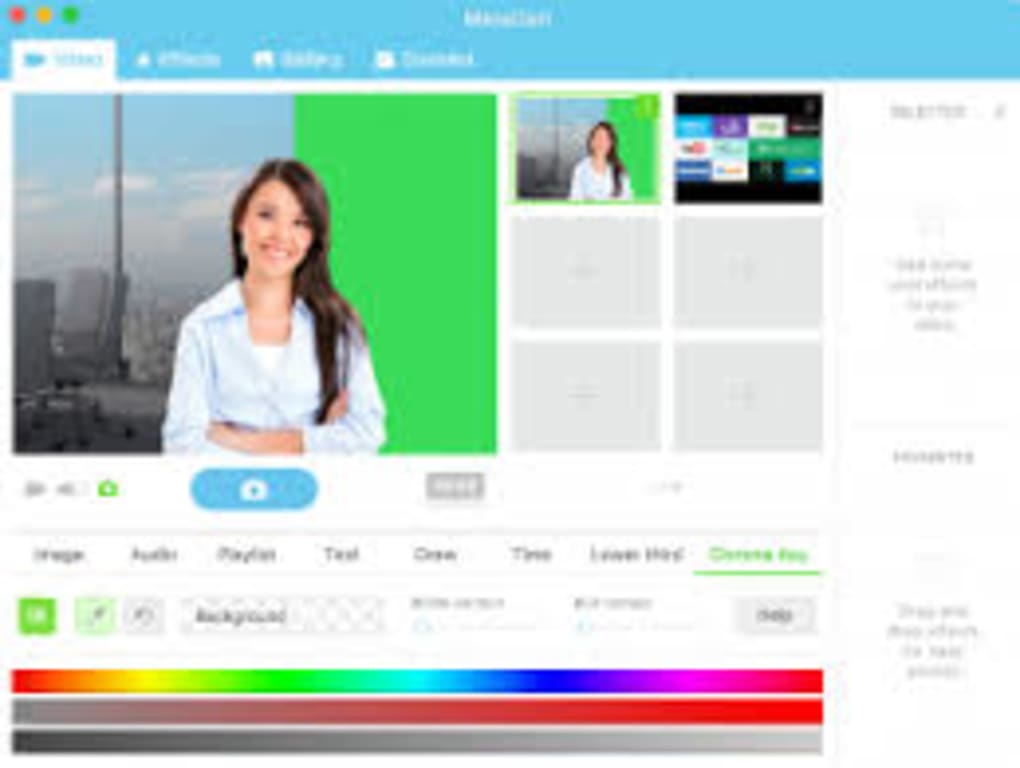
ManyCam includes a basic chroma‑key feature that works best with a solid green or blue backdrop. While the built‑in backgrounds can replace the green screen, the result may appear less seamless than dedicated green‑screen software.
Is there a mobile version of ManyCam?
Yes, ManyCam offers iOS and Android apps with a reduced set of effects. The mobile versions sync with your desktop account, allowing you to share custom effect packs across devices.
Final Verdict & Call to Action
ManyCam delivers a light‑hearted, user‑friendly solution for anyone who wants to add a splash of creativity to video calls. While the free version’s watermark and dated graphics may deter professional broadcasters, the sheer variety of effects and the zero‑cost entry point make it a worthwhile experiment for students, remote workers, and social streamers. If you’re looking for a quick way to turn a mundane Zoom meeting into a memorable experience, give ManyCam a try. For those who need higher‑quality overlays and no watermark, consider the premium upgrade or explore modern alternatives like Snap Camera or OBS Studio.
Ready to inject some fun into your next video chat? Download ManyCam now and start experimenting with virtual backgrounds, goofy masks, and live text overlays—all for free.







